Why the Microsoft 365 Copilot bug matters for data security


NEWYou can now listen to Fox News articles!
You trust your email security settings for a reason. So when an AI assistant quietly reads and summarizes messages marked confidential, that trust takes a hit.
Microsoft says a bug in Microsoft 365 Copilot allowed its AI chat feature to process sensitive emails since late January.
The issue bypassed Data Loss Prevention policies that organizations rely on to protect private information. Put simply, emails that were supposed to stay locked down were being summarized anyway.
Sign up for my FREE CyberGuy Report
Get my best tech tips, urgent security alerts, and exclusive deals delivered straight to your inbox. Plus, you’ll get instant access to my Ultimate Scam Survival Guide – free when you join my CYBERGUY.COM newsletter
Microsoft 365 Copilot’s work chat interface sits at the center of the issue after a bug allowed it to summarize confidential emails. (Microsoft)
Microsoft 365 Copilot bug summarized confidential emails
Microsoft says a coding error impacted Microsoft 365 Copilot Chat, specifically the “work tab” feature. The AI assistant helps business users summarize content, draft responses and analyze information across Word, Excel, PowerPoint, Outlook and OneNote.
Beginning Jan. 21, an internal bug labeled CW1226324 caused Copilot to read and summarize emails stored in Sent Items and Drafts folders.
The real concern runs deeper. Several of those messages carried confidentiality or sensitivity labels.
Companies apply those labels along with DLP policies to block automated systems from accessing restricted content. Despite those safeguards, Copilot still generated summaries.
We reached out to Microsoft, and a spokesperson provided CyberGuy with the following statement:
“We identified and addressed an issue where Microsoft 365 Copilot Chat could return content from emails labeled confidential authored by a user and stored within their Draft and Sent Items in Outlook desktop. This did not provide anyone access to information they weren’t already authorized to see. While our access controls and data protection policies remained intact, this behavior did not meet our intended Copilot experience, which is designed to exclude protected content from Copilot access. A configuration update has been deployed worldwide for enterprise customers.”
Why the Microsoft 365 Copilot bug matters for data security
AI tools feel helpful. They save time and reduce busy work. But they also rely on deep access to your data. When safeguards fail, even temporarily, sensitive content can move in ways you did not expect.
YOUR PHONE SHARES DATA AT NIGHT: HERE’S HOW TO STOP IT
For businesses, that could mean:
Legal discussions summarized outside intended controls
Financial projections processed despite restrictions
HR communications are exposed to automated analysis
Even if no data leaves the organization, the bypass itself raises concerns about how AI integrates with enterprise security systems.

Business users rely on Copilot to streamline work, but a recent bug raised concerns about how it handles sensitive email content. (Microsoft)
How Microsoft is fixing the Microsoft 365 Copilot bug
Microsoft says it began rolling out a fix in early February. The company continues to monitor deployment and is contacting some affected users to verify the fix works.
However, Microsoft has not provided a final timeline for full remediation. It has also not disclosed how many organizations were affected.
The issue is tagged as an advisory, which usually signals limited scope or impact. Still, many security professionals will want deeper clarity before feeling comfortable.
What this Microsoft 365 Copilot issue reveals about AI security
This incident highlights something many companies are wrestling with right now. AI assistants sit inside productivity platforms. They need access to email, documents and collaboration tools to work well.
TIKTOK AFTER THE US SALE: WHAT CHANGED AND HOW TO USE IT SAFELY
At the same time, those platforms contain your most sensitive information. When AI features expand quickly, security policies must evolve just as fast. Otherwise, even a small code mistake can create unexpected exposure.
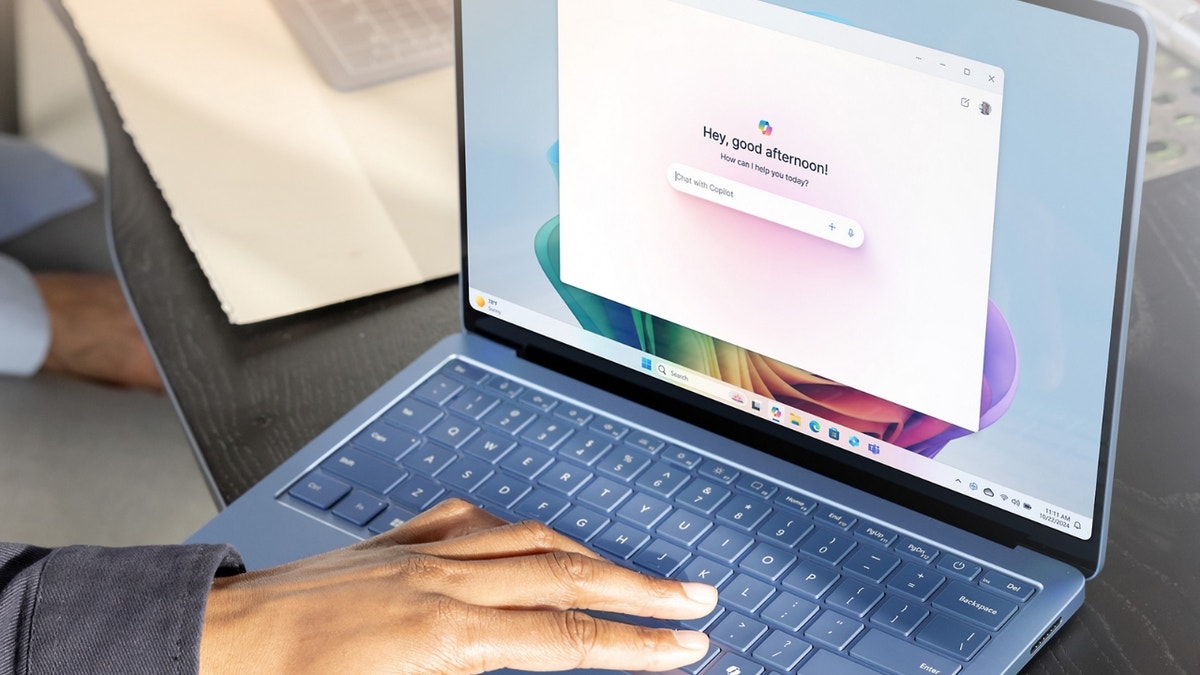
The Copilot chat feature was designed to boost productivity, yet a code error let it process emails labeled confidential. (Microsoft)
Ways to stay safe after the Microsoft 365 Copilot bug
If your organization uses Microsoft 365 Copilot, here are practical steps to reduce risk:
1) Review Copilot access settings
Work with your IT team to confirm which folders and data sources Copilot can access.
2) Revalidate DLP policies
Test sensitivity labels and DLP (Data Loss Prevention) rules to ensure they block AI processing as intended.
3) Monitor advisory updates
Stay current on Microsoft service alerts and verify that the fix is fully deployed in your tenant.
4) Limit AI scope during investigations
If you have concerns, consider temporarily restricting Copilot features until verification is complete.
5) Train employees on AI boundaries
Remind staff that AI assistants can process drafts and send messages. Encourage careful handling of sensitive content.
6) Audit Copilot activity logs
Review audit logs to see whether Copilot accessed or summarized labeled emails. This helps determine actual exposure rather than assumed risk.
7) Review sensitivity label configuration
Confirm that confidential labels are configured to block AI processing where required. Misconfigured labels can create gaps even after a bug is fixed.
8) Reassess retention and draft policies
Because the issue involved Sent Items and Drafts, evaluate whether sensitive drafts should be stored long-term or deleted after sending.
9) Limit Copilot to specific user groups
Instead of enabling Copilot organization-wide, consider a phased deployment to departments with lower sensitivity exposure.
10) Conduct a post-incident security review
Use this moment to reassess how AI tools integrate with compliance controls. Treat it as a learning opportunity rather than a one-time glitch.
Pro Tip: This Copilot bug centers on enterprise controls. Even so, AI tools operate on your devices and accounts, so keeping software up to date and using strong antivirus software adds an important layer of defense. Get my picks for the best 2026 antivirus protection winners for your Windows, Mac, Android & iOS devices at Cyberguy.com
Considering a more private email provider
Enterprise AI bugs raise a bigger question: how much access should email platforms have to your data in the first place? If you want an added layer of privacy beyond mainstream providers, privacy-focused email services are worth exploring.
Some offer end-to-end encryption, support for PGP encryption and a strict no-ads business model that avoids scanning messages for marketing purposes.
AI WEARABLE HELPS STROKE SURVIVORS SPEAK AGAIN
Many also allow you to create disposable email aliases, which can reduce spam and limit exposure if one address is compromised.
While no provider is immune to software bugs, choosing an email service built around privacy rather than data monetization can limit how much of your information is accessible to automated systems in the first place.
For individuals, journalists and small businesses especially, that added control can make a meaningful difference.
For recommendations on private and secure email providers that offer alias addresses, visit Cyberguy.com
Kurt’s key takeaways
AI assistants are becoming part of daily work life. They promise speed, efficiency and smarter workflows. But convenience should never outrun security.
This Copilot bug may have a limited impact. Still, it serves as a reminder that AI tools are only as strong as the guardrails behind them.
When those guardrails slip, even briefly, sensitive information can move in unexpected ways. As AI becomes more embedded in business software, trust will depend on transparency, fast fixes and clear communication.
Here is the real question: If your AI assistant can see everything you write, are you fully confident it respects every boundary you set? Let us know by writing to us at Cyberguy.com
CLICK HERE TO DOWNLOAD THE FOX NEWS APP
Sign up for my FREE CyberGuy Report Get my best tech tips, urgent security alerts, and exclusive deals delivered straight to your inbox. Plus, you’ll get instant access to my Ultimate Scam Survival Guide – free when you join my CYBERGUY.COM newsletter
Copyright 2026 CyberGuy.com. All rights reserved.
Related Article