


Your health app may be failing you


NEWYou can now listen to Fox News articles!
Healthcare has moved onto your phone. That sounds convenient until you are staring at a login screen, trying to refill a prescription, book a telehealth visit or figure out why your insurance portal will not load.
For many older adults, this shift has created a new kind of health problem. It is called low digital health literacy, and it can affect much more than your patience.
Digital health literacy means having the knowledge, access and confidence to use online health tools. That includes apps, patient portals, prescription refills, telehealth visits, benefit websites and digital forms.
New research from CVS Health on Medicare-age adults found that many seniors want to use digital health tools. However, they often hit roadblocks that make care harder to manage. Those roadblocks include confusing portals, privacy concerns, outdated devices, spotty internet and hard-to-follow health information.
HOW TO HELP OLDER RELATIVES WITH TECH OVER THE HOLIDAYS
That can lead to missed appointments, delayed care, prescription problems and more stress for people already managing health challenges.
Sign up for my FREE CyberGuy Report
- Get my best tech tips, urgent security alerts and exclusive deals delivered straight to your inbox.
- For simple, real-world ways to spot scams early and stay protected, visit CyberGuy.com – trusted by millions who watch CyberGuy on TV daily.
- Plus, you’ll get instant access to my Ultimate Scam Survival Guide free when you join.
SCAMMERS EXPLOITED MOM’S FEARS TO STEAL HER ENTIRE LIFE’S SAVINGS
Older adults are increasingly managing healthcare through apps and online portals, but confusing systems and security concerns are making digital care harder to navigate. (Jaap Arriens/NurPhoto via Getty Images)
Why digital health literacy affects your care
Healthcare companies, insurance plans, pharmacies and doctors’ offices now rely heavily on digital tools. You may need an app to check test results. You may need a portal to message your doctor. You may need a website to understand your benefits.
That works well when the tool feels simple. It becomes a problem when the tool creates more confusion than clarity.
The CVS Health research found that digital health literacy challenges appeared across several common areas. Many older adults struggled to navigate health information online. Others worried about whether websites or apps could protect their personal information. Some lacked reliable internet or newer devices. Many simply felt unsure about what to click next.
That uncertainty matters. When someone cannot access a portal, understand a benefit or complete a refill request, digital care becomes a barrier instead of a shortcut.
Why seniors need better digital health support
One of the most important findings is encouraging. Older adults are not rejecting technology across the board. In fact, the research found that 86% of respondents were open to digital health engagement. Many were willing to learn. They just wanted tools that matched their comfort level.
That point challenges a common assumption. The bigger issue is design. Many people want to use digital health tools, but the experience often feels confusing. A person may use a smartphone every day and still struggle with a health portal. Health tasks can feel more stressful than everyday online tasks because the stakes are higher. A wrong click can feel risky. A confusing message can raise anxiety. A failed login can delay something important.
Common digital health problems older adults face
The research points to several pain points that will feel familiar to many older adults.
1) Confusing portals and health websites
Many people feel overwhelmed when trying to find health information online. They may not know which portal to use, where to check benefits or how to fix an error message. This gets harder when each doctor, pharmacy or insurer uses a different system. One login handles test results. Another handles prescriptions. A separate website shows insurance coverage. That creates a lot of digital homework.
2) Passwords and login problems
Simple tasks can fall apart at the login screen. Forgotten passwords, two-factor codes and account lockouts can stop someone from getting the care information they need. Security matters. Still, a login process that feels impossible can push people away from digital care entirely.
3) Privacy and scam concerns
Many older adults worry about sharing personal information online. That concern makes sense. Health accounts can contain sensitive details, including medications, diagnoses, insurance information and payment data. Scammers also target older adults with fake medical messages, bogus pharmacy alerts and phishing emails that look official. As a result, some people hesitate even when a real health message arrives.
4) Old devices and weak internet access
Digital health tools assume people have reliable internet, updated phones and working software. Many do not. Older devices may run slowly or fail to support newer apps. Limited internet access can make telehealth frustrating. Cost can also stop people from upgrading devices or paying for faster service.
Why telehealth still feels risky for some seniors
Telehealth became familiar to many people during the pandemic. The research found that many Medicare respondents had previous telehealth experience and saw its convenience. Still, some remained skeptical. The biggest concern was whether telehealth could actually address their health problem.
That hesitation makes sense. A video visit may work well for a follow-up question, medication discussion or minor issue. It may feel wrong for a new symptom, pain that needs an exam or anything that feels urgent. The takeaway is simple. Telehealth works best when patients understand when to use it and when to ask for in-person care.
GOOGLE’S AI UNLEASHES POWERFUL SCAM-BUSTING FEATURES FOR ANDROID

New CVS Health research found many Medicare-age adults want to use digital health tools, but outdated devices, login issues and privacy fears remain major obstacles. (Gabby Jones/Bloomberg via Getty Images)
How AI could change digital health literacy
AI is starting to appear in healthcare tools. It may help explain benefits, answer basic questions and guide people through online tasks. Used well, AI could reduce frustration. It could translate confusing health language into plain English. It could help someone find the right next step faster.
However, AI also creates a new challenge. People need to know when they are dealing with AI, what the tool can do and when they should ask for a real person. That human backup is important. For healthcare, trust often depends on knowing help is available when something feels confusing, sensitive or serious.
How to use health apps safely
If you have ever felt stuck inside a health app, you are not alone. Digital health tools can help you manage care, but only when you know how to use them safely. Here are the key things to know.
1) Keep a written list of your health logins
Keep a secure list of your main health websites and apps. Include your doctor portal, pharmacy account, insurance account and telehealth platform. A password manager can make this much easier. It can store strong passwords, fill them in for you and reduce the chance that you type your information into a fake site. Check out the best expert-reviewed password managers of 2026 at CyberGuy.com.
On iPhone running: Go to Settings > General > AutoFill & Passwords. Turn on AutoFill Passwords and Passkeys. Then choose the password app you want to use. Apple says Password AutoFill can fill saved passwords and passkeys from the Passwords app or supported password apps.
On a Samsung phone: Settings may vary depending on your Android phone’s manufacturer
Go to Settings > Security and privacy > More security settings > Passwords, passkeys and autofill > Preferred service. Choose Samsung Pass, Google or your preferred password manager. If you do not see that path, open Settings and use the search bar at the top to search Preferred service.
2) Go straight to the official website or app
If you get a text or email about your health account, avoid clicking the link. Open the official app from your phone’s home screen. You can also type the website into your browser yourself. This one habit can help you avoid many phishing scams. If a message says your account has a problem, do not use the link in that message. Go directly to the health app, pharmacy app, doctor portal or insurance website.
3) Turn on two-factor authentication
4) Ask for human help when you get stuck
You should not have to guess your way through healthcare. If a portal confuses you, call the provider, pharmacy or insurance plan directly using the number on your card or the official website. Ask them to walk you through the task slowly. You can also ask whether they offer in-person help, phone support or printed instructions.
5) Use telehealth for the right kind of visit
Telehealth can work well for follow-ups, prescription questions, some mental health appointments and simple care needs. For new symptoms, severe pain, breathing trouble or anything that feels urgent, ask whether you need in-person care. When in doubt, call a medical professional.
6) Check app permissions
Health apps may ask for access to your location, camera, microphone, photos or notifications. Some permissions make sense. Others may not be necessary.
On iPhone: Go to Settings > Privacy & Security. Tap the item you want to check, such as Location Services, Camera, Microphone or Photos. Tap the health app you want to review. Choose the safest option that still lets the app work. Apple says this area lets you review which apps can access features such as the camera, microphone and location.
To check notifications on iPhone, go to Settings > Apps > [name of health app] > Notifications. Turn Allow Notifications on or off.
On a Samsung: Settings may vary depending on your Android phone’s manufacturer Go to Settings > Apps > tap the three dots in the upper-right corner > Permission manager. Tap a permission, such as Location, Camera or Microphone. Tap the health app you want to review. Choose Allow only while using the app, Ask every time or Don’t allow, depending on what you want the app to access.
To check notifications on Samsung, go to Settings > Apps > [name of health app] > Notifications. Turn notifications on or off.
7) Keep your phone and health apps updated
Updates can fix bugs and close security holes. They can also make apps work better with your doctor, pharmacy or insurance portal.
On iPhone: Go to Settings > General > Software Update. Wait for the screen to check for updates. If an update appears, tap Download and Install and follow the instructions.
To update apps on iPhone, open the App Store. Tap your profile picture in the top-right corner. Scroll down to App Updates. Tap Update next to the health app or tap Update All.
On a Samsung phone: Settings may vary depending on your Android phone’s manufacturer Go to Settings > Software update > Download and install. If an update appears, tap Install now and follow the instructions.
To update apps on Samsung, open the Google Play Store. Tap your profile picture in the top-right corner. Tap Manage apps & device. Tap Updates available. Tap Update next to the health app or tap Update all.
For Samsung apps, open the Galaxy Store app. Tap Menu in the bottom-right corner. Tap Updates. Tap Update all to update everything, or tap the update icon next to one app to update it by itself.
8) Add strong antivirus software
Strong antivirus software can help protect you from scam links, fake websites, malicious downloads and other online threats. This protection can also alert you to phishing emails and ransomware scams, keeping your personal information and digital assets safe. This matters because health accounts can contain personal details, insurance information and prescription data. Get my picks for the best 2026 antivirus protection winners for your Windows, Mac, Android and iOS devices at CyberGuy.com.
9) Watch for scam warning signs
Be careful with messages that create panic. Scammers may say your benefits will stop, your prescription has been canceled, or your account has been locked. Look for spelling errors, strange links, urgent demands and requests for payment. Real health organizations should never pressure you to share passwords or one-time codes. If you are unsure, stop and call the company using a phone number from your card, bill or official website.
How to help a loved one use health apps
Many older adults want support, not someone taking over the whole process. If you help a parent, spouse or friend, sit beside them and let them do the clicking when possible. Explain what each step means. Help them save official websites as bookmarks so they can return safely later. Also, slow down. Healthcare already feels stressful. Technology can make that stress worse when someone feels embarrassed or rushed. A little calm help can build confidence over time.
Join CyberGuy Live: Lock Down Your Phone in 30 Minutes (Saturday, June 13, 10 am ET)
Your phone holds your email, passwords, photos, banking apps and personal data. In this free, live online class, Kurt the CyberGuy will walk you step by step through simple phone security fixes you can do in real time. You’ll learn how to improve your privacy settings, spot the latest phone scams, use trusted security tools and walk away with a simple checklist to stay protected. Register here: CyberGuyLive.com.
1.7 BILLION PASSWORDS LEAKED ON DARK WEB AND WHY YOURS IS AT RISK
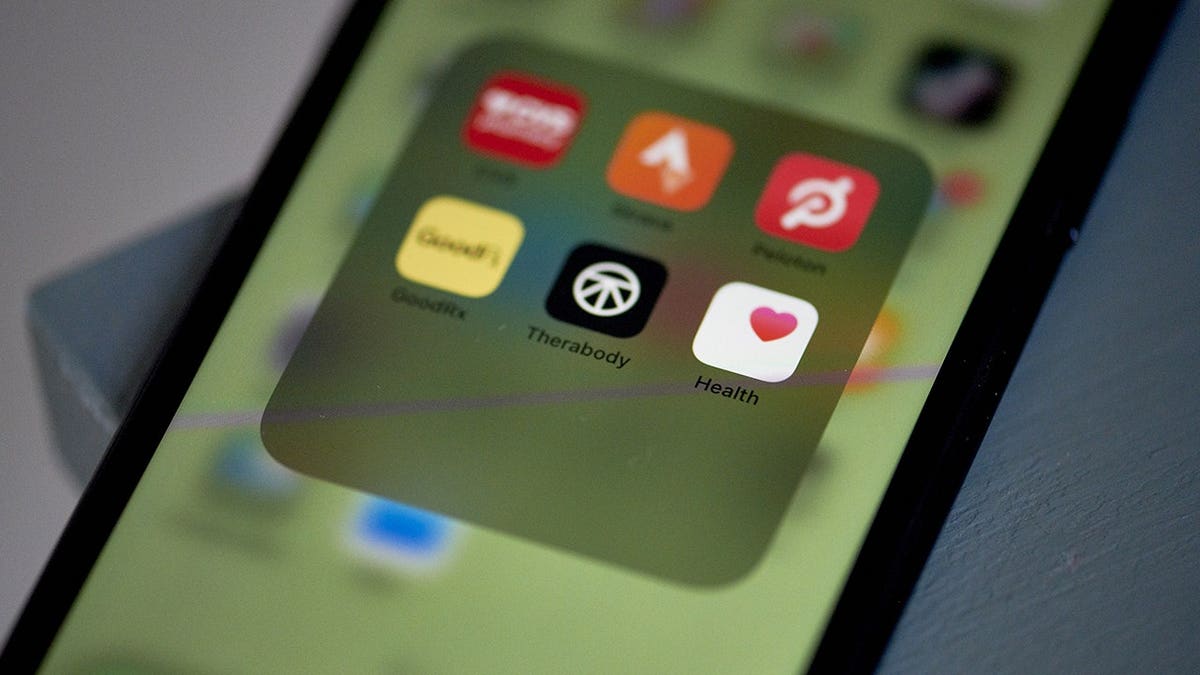
Telehealth and online prescription systems can simplify care, but many seniors still struggle with passwords, portals and scam risks tied to digital health platforms. (Gabby Jones/Bloomberg via Getty Images)
Kurt’s key takeaways
Digital health tools are now part of everyday care. They can save time and make routine tasks easier. Yet they can also leave people behind when the design feels confusing, or the support disappears too quickly. The best health technology should make people feel more in control. That means simple logins, clear instructions and an easy way to reach a real person when something goes wrong. For older adults and the families who love them, digital health literacy has become a practical safety skill. It can affect whether people book appointments, refill medications and feel safe using online care.
When your healthcare moves onto a screen, who should be responsible for making sure you can actually use it? Let us know by writing to us at CyberGuy.com.
CLICK HERE TO DOWNLOAD THE FOX NEWS APP
Sign up for my FREE CyberGuy Report
- Get my best tech tips, urgent security alerts and exclusive deals delivered straight to your inbox.
- For simple, real-world ways to spot scams early and stay protected, visit CyberGuy.com – trusted by millions who watch CyberGuy on TV daily.
- Plus, you’ll get instant access to my Ultimate Scam Survival Guide free when you join.
Copyright 2026 CyberGuy.com. All rights reserved.


